Semantic HTML
-
This lesson explains Semantic HTML and how using meaningful HTML elements helps create well-structured, accessible, and SEO-friendly web pages.
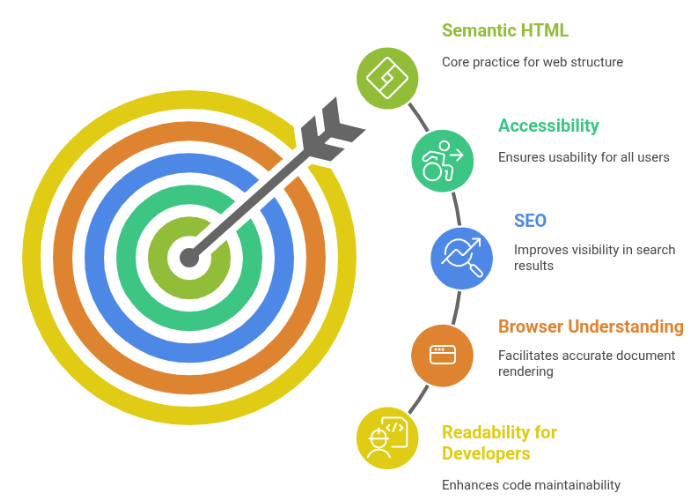
Semantic HTML means using meaningful, descriptive tags so browsers, search engines, and screen readers understand your content better.
Why Semantic HTML Matters
Semantic tags improve:
Readability for Developers
Code becomes cleaner and easier to understand.
SEO (Search Engine Optimization)
Search engines use semantics to understand importance and meaning.
Accessibility
Screen readers rely on proper structure.
Browser Understanding
Helps browsers create an accurate document outline.
Semantic HTML makes websites more structured, accessible, and SEO-friendly.
What Are Semantic Elements ?
Semantic elements clearly describe their purpose by their name.
Semantic Examples:
<header>
<nav>
<section>
<article>
<footer>
Non-semantic:
<div>
<span>
Most Important Semantic Elements
<header>
Represents the introductory section of a page or section.
My Blog
Latest updates, tutorials, and tech-related articles in a simple and easy way.
<header>
    <h1>My Blog</h1>
    <p>Latest updates and tech articles</p>
</header>
Used for:
Page title
Logos
Navigation
<nav>
Defines navigation menus.
Navigation Menu
Provides quick links to the Home page and Blog section for easy website navigation.
<nav>
    <a href="/">Home</a>
    <a href="/blog">Blog</a>
</nav>
Used for:
Menus
Table of contents
Navigation links
<main>
Contains the main content of the page.
Search engines use this to identify primary content.
Main Content Section in HTML
This example demonstrates how to use the main tag to define the primary content of a webpage, helping browsers and screen readers identify the main article content.
<main>
    <h2>Welcome</h2>
    <p>This is the main article.</p>
</main>
Only one <main> should exist per page.
<section>
Used to divide content into meaningful sections.
Section Element in HTML
This example demonstrates how to use the section element to group related content on a webpage, making the page more structured and meaningful.
<section>
    <h2>Services</h2>
    <p>We provide web development and design.</p>
</section>
Use <section> when content has its own heading.
<article>
Used for independent, self-contained content.
Examples:
Blog post
News article
Forum post
Product card
Article Tag in HTML
This example demonstrates how the article tag is used to define independent and meaningful content, such as a blog post or article, that can stand alone on a webpage.
<article>
    <h2>Understanding HTML</h2>
    <p>HTML is the structure of the web...</p>
</article>
Can exist alone outside the page.
<aside>
Represents side content such as:
Ads
Sidebars
Related links
Aside Section in HTML
This example demonstrates how to use the aside tag to display related or additional content, such as links or information connected to the main content.
<aside>
    <h3>Related Articles</h3>
    <a href="#">Learn CSS</a>
</aside>
<footer>
Represents bottom content.
Footer in HTML
This example shows how to use the footer tag to display copyright information at the bottom of a webpage, usually containing ownership or legal details.
<footer>
    <p>© 2025 My Website</p>
</footer>
Used for:
Copyright
Contact info
Social links
Semantic HTML & Accessibility
Semantic elements help:
Screen readers navigate easily
Users understand layout betterExamples:
<nav> tells screen readers that navigation is present
<main> allows users to skip repeated content
<article> is treated as standalone content
Semantic vs Non-Semantic Example
Non-semantic:
<div>
<div>Menu</div>
<div>Main Content</div>
</div>
Semantic:
<nav>Menu</nav>
<main>Main Content</main>
Common Mistakes
Using <div> everywhere
Not using headings inside sections
Using semantics only for styling
Misusing <article> for normal paragraphsBest Practices
Use semantic tags to describe content
Use headings logically (h1 → h2 → h3)
Only one <main> per page
Use <section> when content has a heading
Use <article> for standalone content
Use <nav> only for menus