Basic HTML Page Creation
- This lesson teaches how to create a basic HTML page from scratch, including file creation, HTML structure, and viewing the page in a browser
What Does “Basic Page Creation” Mean ?
Creating a basic HTML webpage means combining everything you’ve learned so far into one complete file
It includes:
HTML structure
Think of it as assembling all lego blocks into one house
Tags & elements
Attributes
Best practices
Basic HTML Page Structure
Every HTML page follows this standard structure
Basic HTML Page
This is a simple HTML webpage that displays a heading, a paragraph, an image, and a link, demonstrating the basic structure of an HTML document.
<!DOCTYPE html>
<html>
  <head>
    <title>My Simple Webpage</title>
  </head>
  <body>

    <h1>Hello Everyone!</h1>

    <p>This is my first webpage using HTML.</p>

    <img src="image.jpg" alt="Sample Image">

    <a href="https://example.com">Visit Example</a>

  </body>
</html>
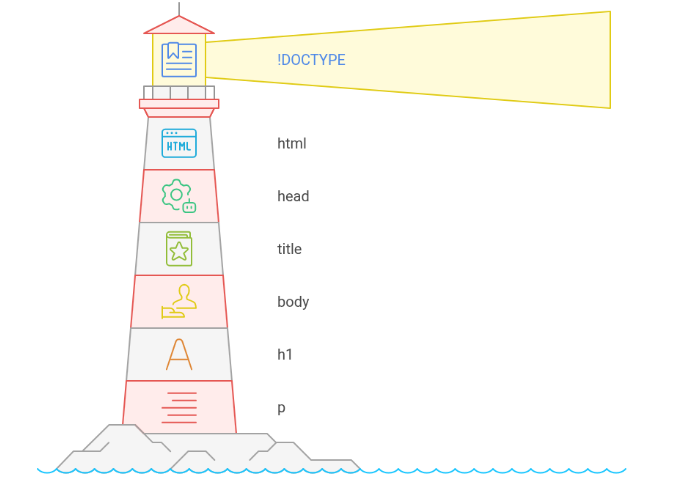
Explanation
<!DOCTYPE html>
<!DOCTYPE html>
Tells the browser:
“This page is written in HTML5”
Always written at the top
No closing tag<html> Tag
<html>
The root element of the webpage
Wraps everything<head> Section
<head>
<title>My Simple Webpage</title>
</head>
Contains page information (not visible on page)
<title> → Text shown on the browser tab
<body> Section
<body>
Contains everything visible on the webpage:
Text
Images
Links
HeadingsHeading Element
<h1>Hello Everyone!</h1>
Main title of the webpage
Most important headingParagraph Element
<p>This is my first webpage using HTML.</p>
Used for normal text content
Image Element
<img src="image.jpg" alt="Sample Image">
Displays an image
src → image location
alt → image description (SEO & accessibility)Link (Anchor) Element
<a href="https://example.com">Visit Example</a>
Creates a clickable link
href → destination URL
What You Have Used in This Page
Structure → html, head, body
Elements → h1, p, img, a
Attributes → src, alt, href
Best practices → Proper structure, lowercase tagsBest Practices to Remember
Always use <!DOCTYPE html>
Use lowercase tags
Indent code properly
Always add alt for images
One <h1> per page (recommended)This is the first milestone in web development
Every big website starts with a simple HTML page like thisHTML mastered ? CSS & JavaScript become easy!
What Are HTML Comments ?
HTML comments are notes written inside HTML code that are:
Visible to developers
Invisible to users (browser does not display them)Comments are mainly used to:
Explain code
Remember logic
Temporarily disable code
Make code cleaner & readable
Syntax of HTML Comments<!-- This is a comment -->
Starts with <!--
Ends with -->
Content inside is ignored by the browserExample
<!-- This is a heading -->
<h1>Welcome to My Website</h1>
The browser will show:
Welcome to My Website
The comment is only for developers
Comments Are Not Displayed
<p>Hello World</p>
<!-- <p>This paragraph is hidden</p> -->
Output:
Only Hello World is shown
Second paragraph is hidden because it's commentedMulti-Line Comments
HTML comments can span multiple lines:
<!--
This is a multi-line comment
Used to explain large code blocks
Very helpful for beginners
-->