Python Syntax
-
Python Syntax introduces the rules and structure of writing Python code. It covers indentation, whitespace usage, code blocks, and basic output using the print() function. This section helps beginners understand how Python reads and executes instructions, ensuring clean and error-free coding.
What is Python Syntax?
Python syntax means the rules that define how Python code must be written so that the computer can understand and run it.
Just like English grammar has rules for writing sentences, Python also has rules for writing programs.
Printing a Simple Message in Python
print("Hello, Python!")
If the syntax is correct, the Python program will run successfully. If the syntax is incorrect, Python will display an error, helping you identify and fix the issue.
Python Syntax Basics
1.Case-sensitive Language
Python treats uppercase and lowercase differently.
Case Sensitivity in Python Variables
This example shows that Python is case-sensitive. Using Name instead of name causes an error because Python treats them as two different identifiers.
name = "Alice"
print(Name)   # ❌ ERROR (Name is different from name)
2.Statements Can Be Written on One Line :
Python allows you to write each statement on a separate line for clarity, or combine multiple statements on a single line using a semicolon. However, writing one statement per line is generally preferred for readability.
Writing Multiple Statements on One Line in Python
This example shows that Python supports both single-line statements and multiple statements written on one line using a semicolon.
x = 5
print(x)
# or on one line:
x = 5; print(x)
3. Line Breaks Matter :
Line breaks are important in Python because each instruction is typically written on a separate line to keep the code clear and readable.
Using Line Breaks for Clear Python Instructions
This example shows how writing each instruction on its own line keeps Python code clean, readable, and error-free.
# Correct: each instruction on a new line
x = 10
y = 20
print(x + y)

# Hard to read and not recommended
x = 10; y = 20; print(x + y)
Python Indentation – The Most Important Rule
What is Indentation?
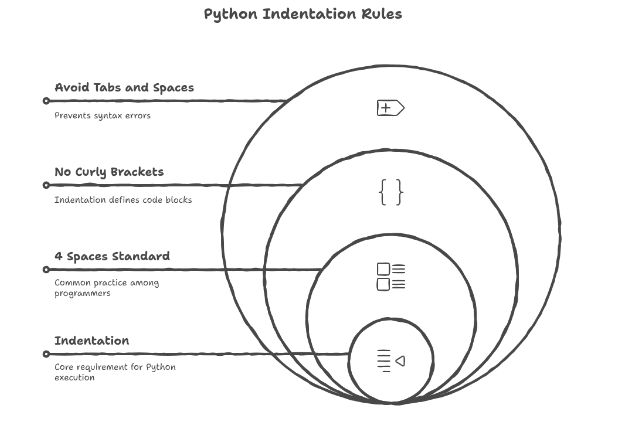
Indentation means adding spaces at the beginning of a line.
Other programming languages use { } to define code blocks.
Python uses indentation instead of braces.
Incorrect indentation will cause an error and stop the program from running.
Correct vs Incorrect Indentation in Python
This example shows how proper indentation is required for Python code blocks. A missing indentation will cause an IndentationError.
if 5 > 3:
    print("Five is greater")

# Incorrect Example
if 5 > 3:
print("Five is greater")   # ❌ IndentationError
Why Does Python Use Indentation?
Python uses indentation to:
Keep the code clean and organized
Improve overall readability
Clearly define code blocks (such as loops, conditions, and functions)
How Many Spaces Should You Use?
Most developers use 4 spaces for indentation.
You may use a tab, but spaces are recommended for consistency.
Never mix tabs and spaces in the same file, as it can cause errors and unpredictable behavior.
Never mix tabs and spaces in the same file, as it can cause errors and unpredictable behavior.
Standard Indentation Style in Python
This example demonstrates the recommended indentation style in Python, where a code block is indented using 4 spaces for clarity and consistency.
# Standard indentation style
if True:
    print("Indented with 4 spaces")
Indentation in Control Blocks
Indentation is used in Python to define the body of control statements. In an if condition, all statements that should run when the condition is true must be indented under it. This helps Python clearly understand which lines belong to the condition.
Indentation Inside an if Condition
This example shows how indentation is used to define the code block that executes when an if condition is true.
age = 18
if age >= 18:
    print("You are an adult")
Indentation in a Python Loop
This example shows how indentation is used inside a for loop. The indented statement runs repeatedly for each value in the loop.
# Loop Example
for i in range(5):
    print(i)
Function Example
def greet():
    print("Hello!")

greet()
Nested Indentation (Block Inside a Block)
This example shows how Python uses additional indentation levels when one code block is placed inside another, such as an if statement inside a loop.
# Nested Indentation Example
for i in range(3):              # Outer loop block (4 spaces)
    if i == 1:                  # Inner conditional block (additional 4 spaces)
        print("i is 1")          # Executes only when i equals 1
Key Points to Remember